
Ability Scores
Each ability card shows the score, its modifier, and a short blurb describing the ability. Once a player picks a class, the abilities that class relies on are marked.
Generation methods
Section titled “Generation methods”Players pick a method from the Score Generation Method list at the top of the tab. You choose which methods appear in Settings.
Switching the method clears every ability and discards any rolled pool. It also resets the reroll allowance.
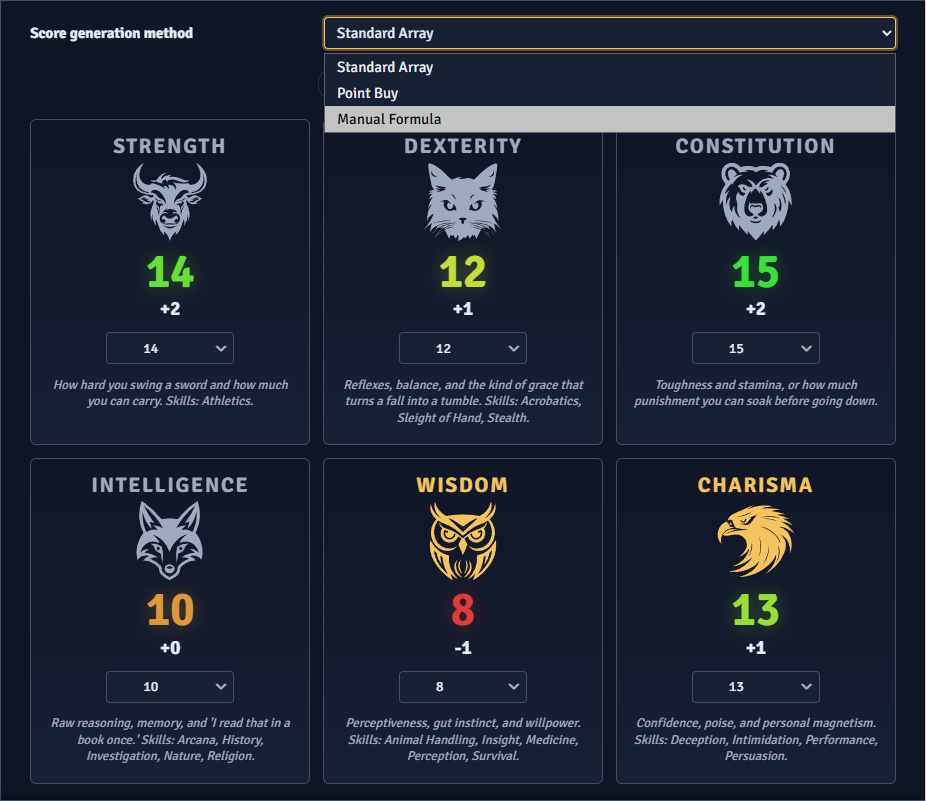
Standard Array
Section titled “Standard Array”Players assign a fixed set of scores, one to each ability. The set is padded or trimmed to match the number of abilities the system defines.
A strip above the grid lists the values and strikes through the ones already taken. Picking a value with no free copy left swaps it off the ability holding it. That ability gets the first ability’s old value, or is left empty if there was none. The tab stays incomplete until every value is placed.
Point Buy
Section titled “Point Buy”Players spend a budget of points to raise their scores. A Points Remaining counter tracks what is left, and each score’s cost comes from the cost table you set.
Each card has minus and plus buttons. Plus disables at the maximum score or when the budget cannot cover the next step. Minus disables at the minimum. The tab stays incomplete until the whole budget is spent.
Manual Formula
Section titled “Manual Formula”Roll Stats rolls one value per ability into a shared pool. Players assign each value from the ability’s dropdown, and an Unassign entry puts it back in the pool. The tab stays incomplete until every ability holds a value.
Pressing Roll Stats again rolls a new pool, clears all assignments, and uses up a reroll. When rerolls are off or used up, the button is disabled and its tooltip says why.
The rolls follow Foundry’s dice configuration. If the die is set to an interactive fulfillment method, Foundry’s roll resolver opens and the player enters the result. Rolls can also be posted to chat, controlled in Settings.
Manual Entry
Section titled “Manual Entry”Players type each score directly. A value outside the minimum or maximum snaps to the nearest limit when the field loses focus.
Rerolls
Section titled “Rerolls”When rerolls are allowed, a Reroll button appears next to Roll Stats once a pool is rolled. It asks the player which unassigned value to replace, then rolls a new one. If every value is assigned, the player has to unassign one first.
With a reroll cap set, the button shows how many rerolls are left and disables at zero. Roll Stats and Reroll share the same allowance.
Score limits
Section titled “Score limits”- Default is the score every ability starts at under Point Buy. A Default above the Minimum spends points before the player does anything.
- Minimum is the lowest score under Point Buy and Manual Entry. When it is above 8, the cost table is rebased so each ability starts at the Minimum for free.
- Maximum is the highest score under Point Buy and Manual Entry. Standard Array and rolled values are not capped.
Changing Constitution updates the Hit Points tab.
Multiclass ability threshold
Section titled “Multiclass ability threshold”Multiclass prerequisites on the Class sub-tab check the ability scores plus any ability score improvements. A class with an unmet prerequisite is flagged, but the player can still create the character. See Character Creation.