
Hit Points
The Hit Points tab sets hit points for each character level in both character creation and level-up mode. Until a class is picked on the Identity tab, the tab shows a prompt instead.
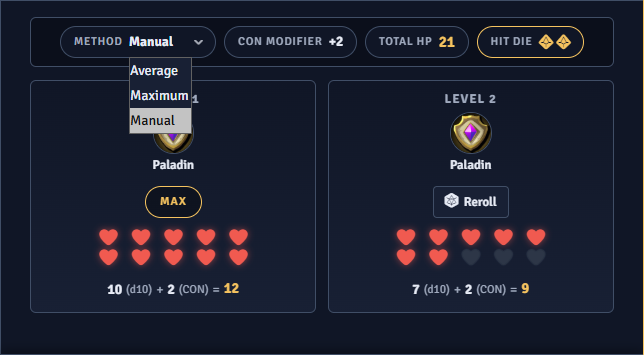
Methods
Section titled “Methods”The Method dropdown lists only the methods you enable in the settings. Changing the method clears every roll on the tab and resets the reroll counts.
- Maximum takes the highest value of the hit die.
- Average takes the fixed average of the hit die.
- Manual Roll rolls the hit die.
Level cards
Section titled “Level cards”Each character level gets its own card. The Constitution modifier is added to each die result, with a minimum of 1 hit point per level.
Cards list the primary class first, then the other classes alphabetically. They are numbered by character level, not class level.
The first level of the primary class can be locked to the maximum die value under any method.
In level-up mode, cards for existing levels are locked and show the hit points already applied to the actor. Only the card for the new level is open.
The tab is complete once every unlocked card holds a value.
Rerolls
Section titled “Rerolls”Under Manual Roll, each card has its own roll button. Pressing it on a card that already holds a value asks for confirmation first. The reroll cap applies to each card separately. With rerolls off, a card’s button is disabled once it holds a value. A card that reaches the cap shows a lock icon and its button is disabled.
Manual rolls can be set to never land on a 1. They can also be published to chat, naming the class and level. In level-up mode the message is spoken by the actor.