
Region Templates
Wiki updated as of 0.1.0 (Oct 2026)Surface Template
Section titled “Surface Template”Select one or more regions, then click Surface Template in the Regions controls. Choose a template and the Level whose floor the template sits on.
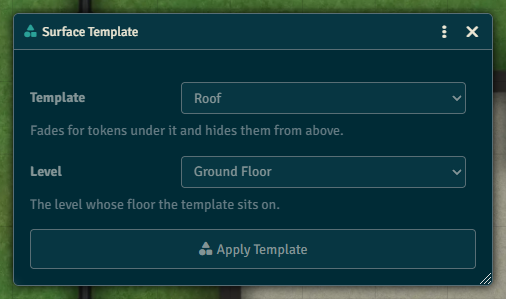
| Template | What it does |
|---|---|
| Roof | Fades for tokens under it and hides them from above. |
| Balcony | Fades for tokens under it without hiding them. |
| Trapdoor | Cuts a hole in the floor, covered by a lid you can open. |
| Vision and Fade | Splits the surface into a vision part and a fade part you toggle separately. |
The template adds surface behaviors to each region and keeps its existing behaviors.
Trapdoors
Section titled “Trapdoors”A trapdoor cuts its shape out of the other floor surfaces on its level. It gets a Trapdoor Lid surface and a disabled Trapdoor Drop behavior that moves tokens to the other level.
To open or close trapdoors, select them and click Open or Close Trapdoor in the Regions controls. Opening disables the lid and enables the drop. Closing reverses it.