
Spymaster
Wiki updated as of 0.7.0 (Oct 2026)The Spymaster archetype runs The Quiet Room, a den shop kept by a broker of secrets. Players buy rumours and dossiers, sell what they know, pay for leads, and order surveillance. Trusted buyers get a drawer of back-room stock.
Setting it up
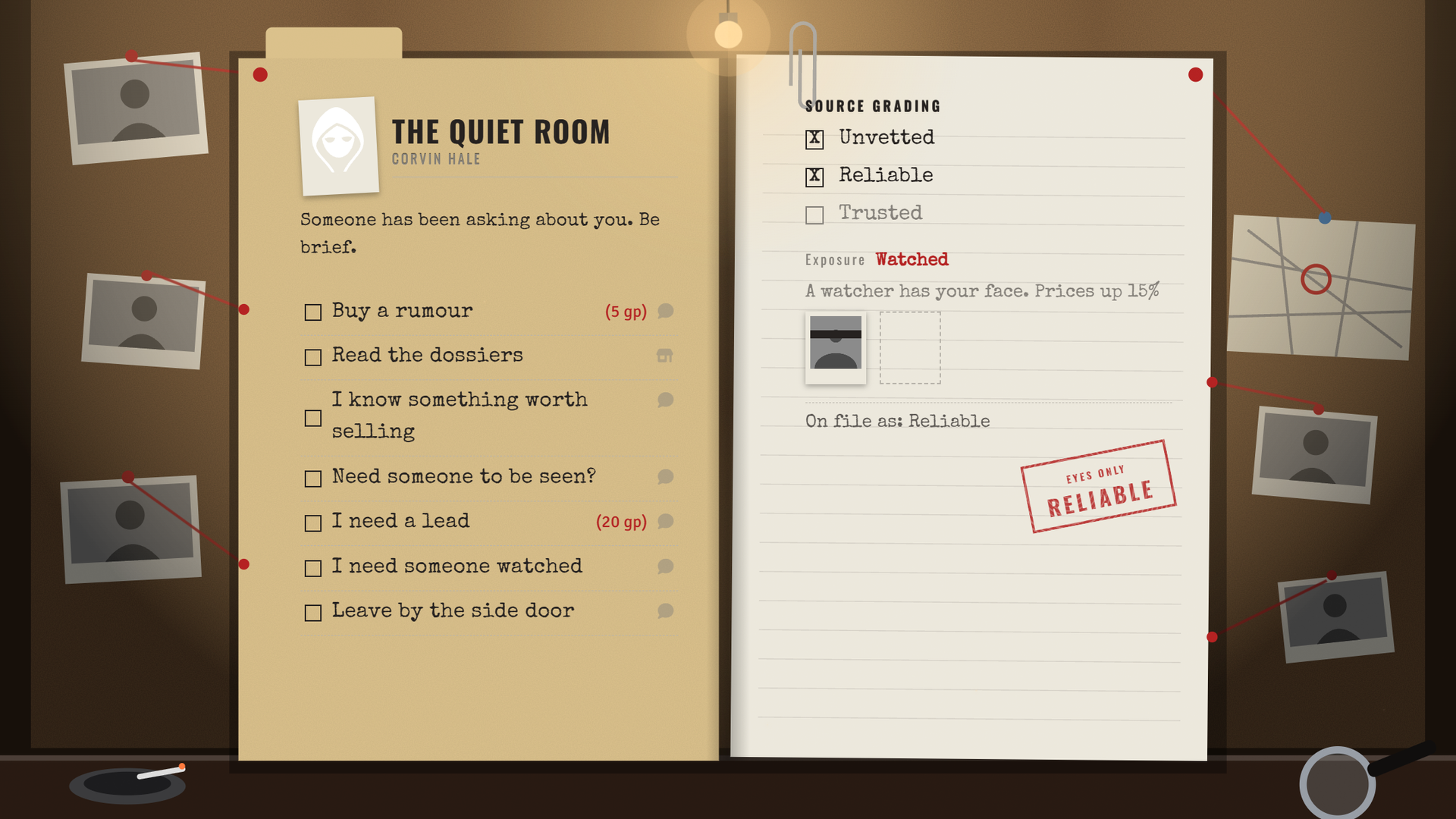
Section titled “Setting it up”Pick Spymaster on the Basics step of the Shop Builder, or in the Dialogue Archetype field of Shop Settings. The archetype names the shop The Quiet Room and applies the Case Wall theme on the den chassis, its accent color, and an ambient track. It presets no opening hours, haggling, tab, or restock schedule. Applying and switching archetypes is covered on Shop Archetypes.
The den
Section titled “The den”The den chassis shows a trust panel that grades the buyer from Unvetted to Trusted, with their exposure underneath. See Themes and Chassis.
Dossiers and the drawer
Section titled “Dossiers and the drawer”The dossier shelf lists only journal stock. Add journals in the Journals section of the Stock tab. Buying a dossier gives the buyer’s players Observer access to the journal. See Stock and Restocking.
The drawer lists items marked Back Room on the Stock tab. Only Trusted buyers can open it.
What players can do
Section titled “What players can do”Choices that do not apply to the buyer stay hidden.
- Rumours cost a fee and a skill check. The better the result, the more the keeper tells.
- Secrets are sold to the keeper after a skill check. The result sets the pay, and a paid sale raises the seller’s exposure.
- Leads are bought for a fee. A lead goes cold after a timer and can then be bought again.
- Debriefs close a lead for pay after a skill check.
- Bait jobs pay a flat sum to a Warm buyer and raise their exposure.
- Watch orders come in three tiers. Each is ready after a delay.
Exposure
Section titled “Exposure”Exposure is the Spymaster’s name for heat. See Heat for the shared rules and the settings reference for the values.
Whispers
Section titled “Whispers”Trusted buyers get a private whisper from the shop every few in-game days. The interval is set in the archetype section of Shop Settings. Whispers need world time to advance.
Running it
Section titled “Running it”A watch order opens a Special Order Request dialog on your client with the tier’s price and delay prefilled. Send the quote, and the buyer accepts or declines. Write the report as a journal entry. When the buyer collects, drag the journal into the Special order window and click Hand over. The buyer’s players get Observer access to it.
With Calendaria active, you get a note to write the report. The buyer’s players get a note when it is ready. A GM must be logged in to quote or hand over an order.
Customizing
Section titled “Customizing”Open the tree in the Dialogue Tree Editor to change the fees, the pay, and the watch tiers. Roll difficulties come from the archetype section of Shop Settings.
Reapplying the archetype rebuilds the tree and discards your edits.