
Festival Vendor
Wiki updated as of 0.7.0 (Oct 2026)The Festival Vendor runs The Painted Wagon, a crier’s stall that trades only on market days. Besides the stall’s own goods, the crier points players to the midway, where Lanky Sid runs four paid games, and to Madame Marigold’s fortune booth. In the last hour before closing, the crier offers a clearance discount.
Setting it up
Section titled “Setting it up”Open the merchant’s actor sheet and click Create Peddler Shop. In the Shop Builder, pick Festival Vendor on the Basics step. Import the tree steps through the archetype’s dialogue. Start fresh keeps the stall’s look and opening hours but leaves the dialogue for you to write. The builder itself is covered in Getting Started.
Applying the archetype sets:
- The Festival Stall theme on the stall chassis
- The shop title and accent color
- The festival ambient track
- Enforced opening hours on two days of the week
The archetype does not add stock, a haggle ladder, a tab, or a restock schedule.
Choosing a room
Section titled “Choosing a room”The Festival Stall has two rooms, Striped Awning and Puppet Booth. Pick one with the Room field in Shop Settings. The stock and dialogue stay the same in either room. Each room has its own default layout, so click Reset to defaults in the layout editor after switching. See Themes and Chassis.
Opening hours and market days
Section titled “Opening hours and market days”The stall opens on the fifth and sixth days of the world calendar’s week, during daytime hours. On Foundry’s default calendar those are Friday and Saturday. The windows are listed under Availability in Shop Settings, where you can change the days and times.
Outside its hours, a player who enters the shop still reaches the crier, who says the stall is shut and sends them off. The shop does not post a closed message to chat.
Peddler has no setting that opens a shop because a named event is running. To tie the stall to a festival in your world, use one of these:
- Set Override to Force open for the festival and back to Follow the windows afterwards.
- Edit the opening windows to cover the festival days.
- Use Holiday Festivals or Holiday Categories to close the stall on days carrying a Calendaria festival or note category.
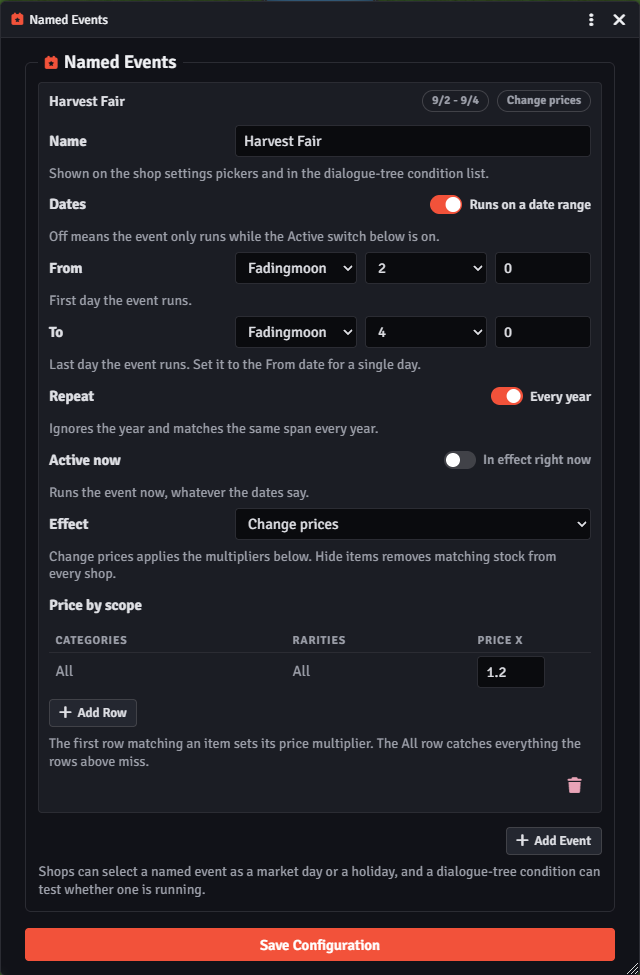
Named events live under Manage Named Events in the module settings. A dated event can change prices or hide items while it runs. With Calendaria active, saving dated events offers to create matching Calendaria festivals, which then appear in the Holiday Festivals list.
What to stock
Section titled “What to stock”Stock the shop actor with whatever the stall sells. The crier’s lines talk about food fresh off the wagon, so baked goods and fair treats suit the default dialogue. Restocking works like any other shop. With Restock on Day Change on, Market Days can limit day-change restocks to days carrying a chosen named event or Calendaria category. See Stock and Restocking.
What players can do
Section titled “What players can do”The greeting leads to a menu with the spread, the midway, the fortune booth, and a way out. During the last hour, a clearance choice joins the menu.
Browsing the spread
Section titled “Browsing the spread”The spread is a standard buy screen. The crier comments as items go in and out of the cart and when the cart gets large. A player who cannot afford their cart is steered back to the shelf.
The midway
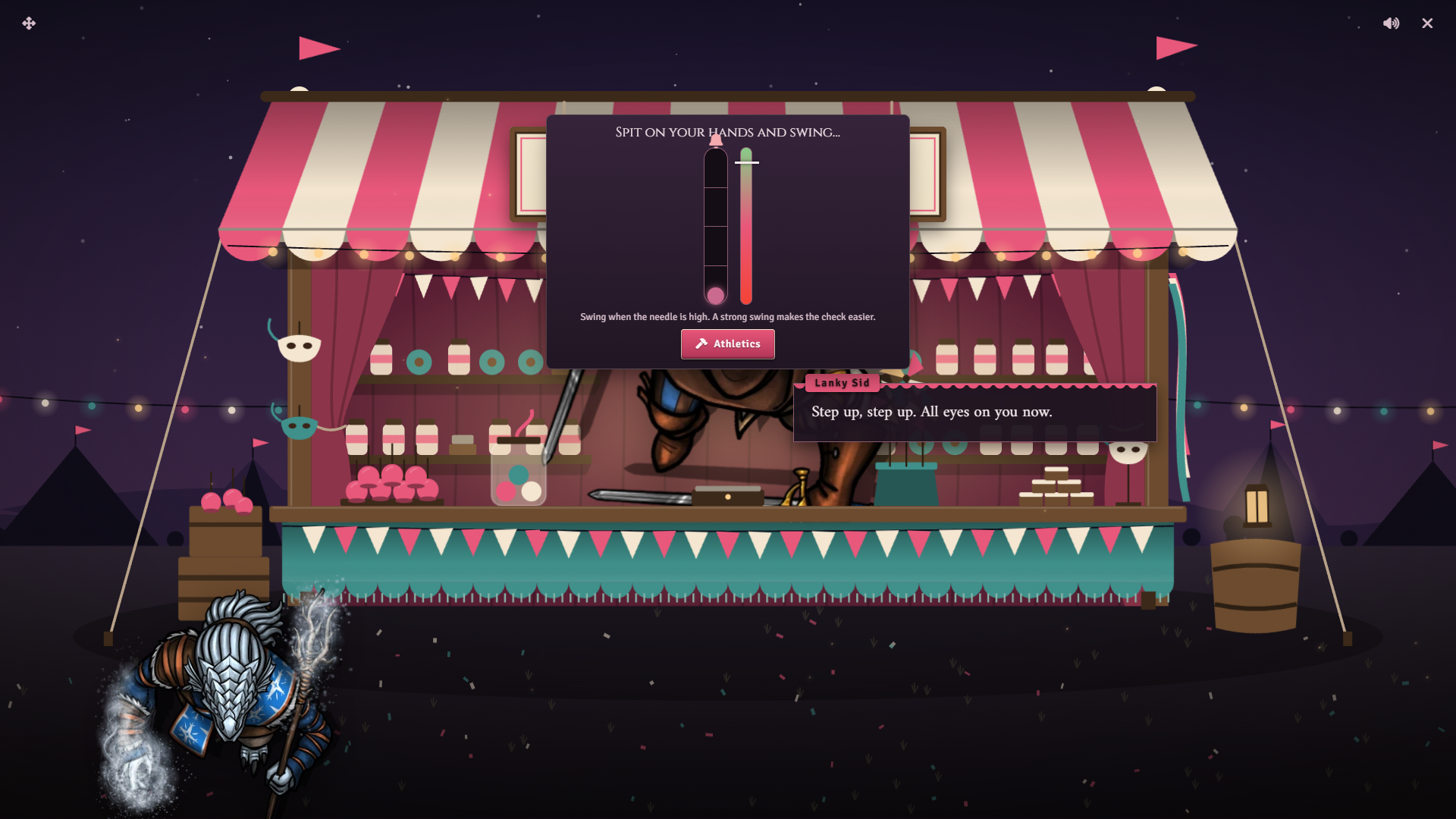
Section titled “The midway”Each game charges a small fee and can be played once per character per day. Results reset the next morning. Before the roll, each game has a short play on the roll card that changes the check.
| Game | Before the roll | Outcome |
|---|---|---|
| Ring toss | The player throws three rings as a peg swings past. More ringers lower the DC. Missing them all raises it. | One prize on a success. |
| Strongman’s bell | The player swings while a needle sweeps. A high swing lowers the DCs. A weak one raises them. | Three prize tiers. Ringing the bell posts to chat as the shop. |
| Find the pea | The cups shuffle and the player picks one. A die rolled for the shop decides where the pea was. | One prize if the pick matches. No skill roll. |
| Clay targets | The player picks a near, middle, or far clay. Farther clays carry higher DCs. | The prize tier matches the clay that was hit. |
A win unlocks a prize ribbon in the game’s menu. Claiming it gives that character a timed discount at the stall that lasts until the next morning, then opens the spread. Better tiers give deeper discounts. The ribbon is offered only when it beats the character’s current price at the stall. Otherwise Sid tells them to keep the one they have.
The fortune booth
Section titled “The fortune booth”Madame Marigold reads a player’s fortune for a fee, once per character per day. The reading is a plain d20 luck roll against three thresholds, with a different fortune for each result. The best result grants Fortune’s Favour, an effect from the Peddler Effects compendium that lasts one in-world day.
Last-hour clearance
Section titled “Last-hour clearance”During the last hour before the stall’s default closing time, the menu adds a clearance choice. Taking it gives that character a timed discount until the next morning. It can be taken once per character per day.
Running it
Section titled “Running it”The greeting changes with the visit. A first-time visitor gets a welcome for new faces. A regular whose purchases at the stall have passed a spending threshold gets a warmer line. On market days and in the last hour the crier has lines of their own.
Game fees and the fortune fee are taken from the player’s coin and credited to the shop. Roll results post to chat.
Players’ timed discounts show under Per-Player Price Modifiers in the Pricing section of Shop Settings, where you can delete one. See Haggling and Pricing.
System notes
Section titled “System notes”Ring toss, the strongman’s bell, and clay targets use the system’s skill rolls through the active system adapter. On a system with no skill list, those three games are hidden and Sid says only the guessing game is running. Find the pea and the fortune booth work on any system.
Fortune’s Favour adds a small bonus to checks where the adapter maps one. On other systems the effect is applied without changing stats. Fees scale to the system’s currency.
Customizing
Section titled “Customizing”Edit any line, choice, or fee in the Dialogue Tree Editor. Speaker names for the barker and the fortune teller are set on their nodes.
The last-hour greeting and the clearance choice check a fixed hour written into the tree. The market-day greeting checks the original two weekdays. If you change the opening hours, update those conditions in the editor to match.
Switching the shop to another archetype in Shop Settings replaces the tree. See Shop Archetypes.