
Round Events and Encounter Tools
Round events
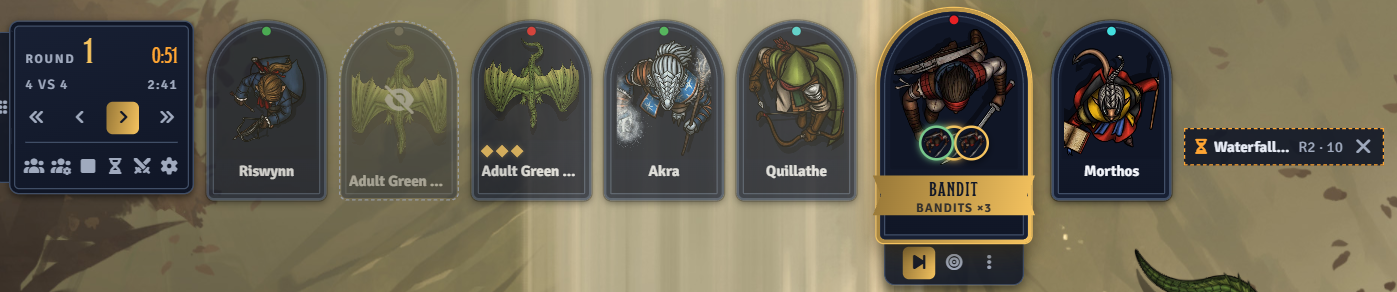
Section titled “Round events”A round event is a reminder or an extra turn that comes up on the rounds you choose. Add one from the hourglass button on the dock’s round panel, or from the combat tracker’s encounter menu.
| Field | What it does |
|---|---|
| Label | The name shown on the dock, the tracker, the banner, and the turn card. |
| Type | Reminder posts a chat message and a banner. Turn joins the turn order as its own card. |
| Rounds | When it happens. See Schedules. |
| Initiative Count | Where in the round it happens. Leave blank for the start of the round. |
| Card Image | The turn card’s portrait. Turns only. |
| Players See It | Shows the event to players. Hidden events are for the GM only. |
Upcoming events are listed at the top of the combat tracker and on the dock. The GM removes one with its X button.
Reminders
Section titled “Reminders”A reminder fires when the turn order reaches its initiative count. If no combatant’s turn reaches the count, it fires on the last turn of the round. A hidden reminder whispers the GMs. A visible one posts to everyone and shows the players a banner.
A turn event joins the turn order on the rounds it happens and leaves it on the others. The GM ends it with End Turn like any other combatant. A turn with no initiative count goes first in the round. Deleting its combatant from the tracker removes the event.
Schedules
Section titled “Schedules”| Rounds | Happens on |
|---|---|
| blank | Every round |
3 | Round 3 |
2-6 | Rounds 2 through 6 |
5+ | Round 5 and every round after |
3/2 | Every 2nd round, starting at round 3 |
1d4 | A dice roll, see below |
Combine parts with commas, such as 3, 5, 6-8. The dialog previews the next rounds as you type.
A dice formula rolls the number of rounds until the event happens, and rolls again after each time. A result below 1 counts as 1. Each roll is whispered to the GMs.
An occurrence that has already passed when you add the event is skipped.
Lair turns
Section titled “Lair turns”On D&D 5e, when you add a creature with lair actions to a combat, Roll Call offers to give it a hidden lair turn every round at its lair initiative count. Only creatures using the legacy (2014) rules get one. Turn the offer off with Offer Lair Turns.
Encounter tools
Section titled “Encounter tools”VS screen
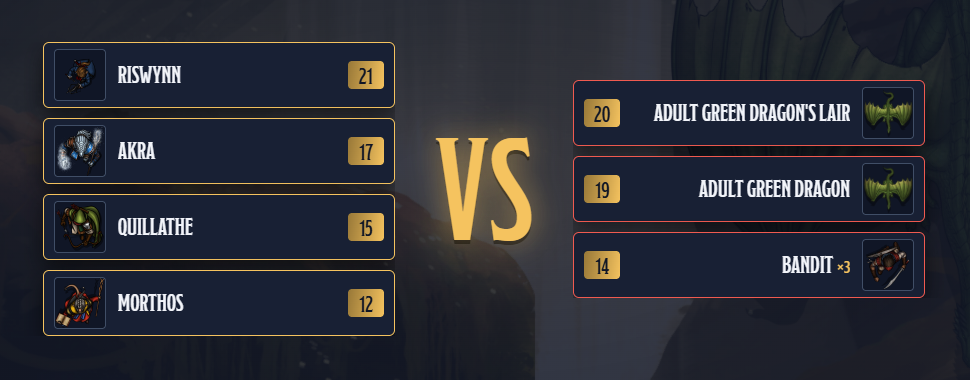
Section titled “VS screen”When combat starts, every player sees both sides lined up in turn order, with privacy rules applied. Click it to close it. The GM can replay it for everyone from the dock’s round panel.
Initiative
Section titled “Initiative”- Auto-Roll NPC Initiative rolls for combatants no player owns as soon as they join. The rolls are whispered to the GMs.
- Freeze Order Before Combat keeps dock cards in the order they were added until the combat starts.
- Reverse Turn Order makes the lowest initiative act first.
- Group Initiative gives every combatant in a group the group’s latest roll. D&D 5e handles this itself, so the setting is hidden there.
Bulk Add
Section titled “Bulk Add”The Add Tokens to Combat button in the token controls adds every token on the scene of one disposition, or every token that isn’t hidden. Tokens already in the combat are skipped.
Focus Mode
Section titled “Focus Mode”With Enable Focus Mode on, players lose the interface parts you pick in Focus Mode Elements while a combat runs on the scene they’re viewing. It can also offer to close the player’s open sheets when it kicks in. Each player can turn it off for their device with Use Focus Mode.
Other tools
Section titled “Other tools”- Link Combat to Scene on Start links an unlinked combat to the scene you’re viewing when you start it.
- Target Icons marks the dock cards the active combatant’s controller has targeted.
- Summon Lines draws lines from a D&D 5e creature’s token to the creatures it summoned.
- Auto-Defeat at Zero Health marks a combatant defeated when its tracked resource hits zero. Hidden on D&D 5e, which does this itself.
- Hide Combat Tab removes the combat tab from the sidebar for everyone.