
Level Up
Level-up mode opens Hero Mancer on an existing character with three tabs: Level Up, Hit Points, and Advancements. A level-up never goes through the GM approval queue.
Opening level-up mode
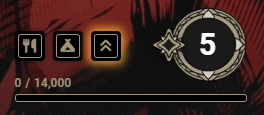
Section titled “Opening level-up mode”The Level Up button sits in the character sheet header, on both the system sheet and Tidy5e. You see it on any character that has at least one level and is below the system’s maximum level. A player sees it once you grant a level-up, or while the sheet is in edit mode.
Choosing how to level
Section titled “Choosing how to level”The Level Up tab offers two paths:
- Level an existing class raises a class the character already has by one level.
- Multiclass into a New Class adds the first level of a class the character does not have yet.
Multiclass options are grouped by ruleset. The group matching the character’s existing class is marked Same as Existing, and the other groups are marked Different Ruleset.
A class whose multiclass ability requirement the character does not meet shows a warning listing each missed score. The warning does not block the pick. The ability threshold and the option to disable multiclassing are on the Settings page.
The preview
Section titled “The preview”Picking a class shows a preview of the level being taken.
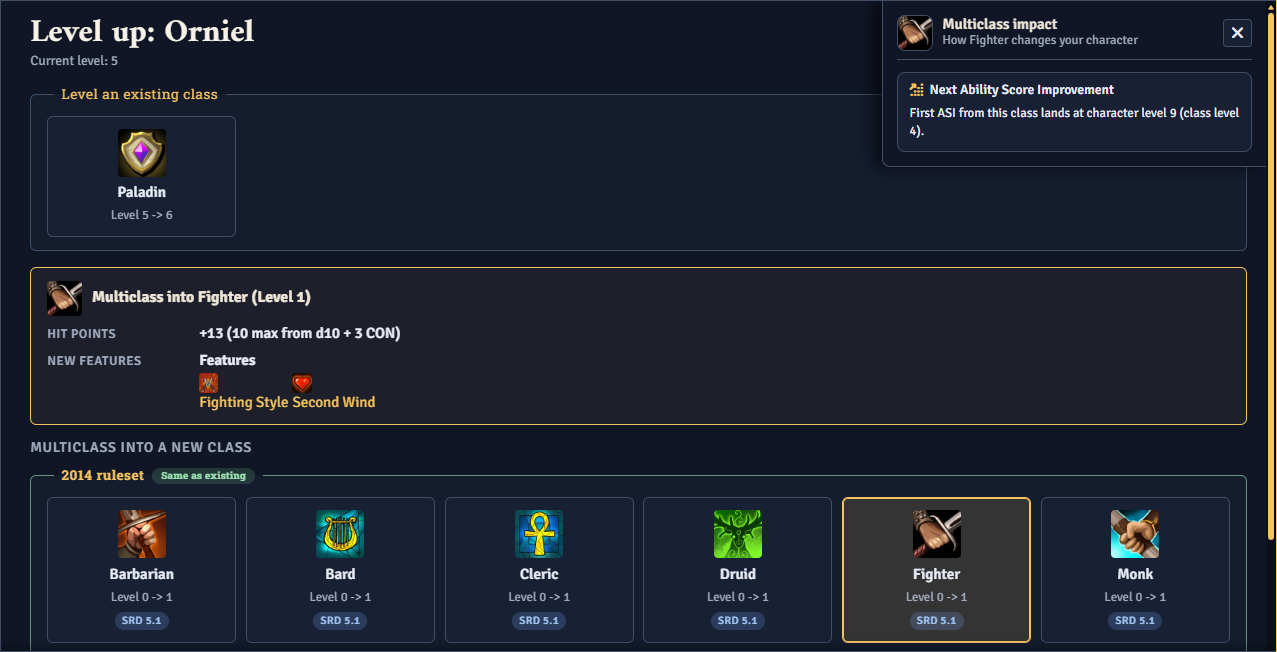
Depending on the class and level, the preview can show:
- Hit Points. The first level of a class shows the maximum die value plus the Constitution modifier. Later levels show the die average plus the Constitution modifier. The hit points actually applied come from the Hit Points tab.
- New Features. The features the class grants at this level.
- Spellcasting. The class’s spellcasting progression type.
- Ability Score Improvement. A note to make the choice on the Advancements tab.
- Subclass. A note to pick a subclass before advancing.
When the class has reached its subclass level and the character has no subclass for it, a subclass picker appears below the preview.
The multiclass impact panel
Section titled “The multiclass impact panel”Picking a multiclass option opens a Multiclass Impact panel. It can show:
- Spell Slots. The spell slots the new class adds. When the new class raises an existing caster level, the panel shows the old and new caster level. Picking a pact caster adds a line for pact slots.
- Next Ability Score Improvement. The character level and class level where the new class’s first ASI lands.
- Casting Ability. The new class’s casting ability, and whether it is new, matches the existing one, or adds a second.
Confirming and applying
Section titled “Confirming and applying”Confirm Level Up in the footer commits the level. If a required pick is missing, a dialog lists what is incomplete, with the option to go back or continue anyway.
The character changes only if the whole level applies. If anything fails, Hero Mancer reports the failure and leaves the character unchanged.
The completion chat card lists the hit points gained and the hit die they came from. It also lists each changed ability score and links every item the level-up granted. The Publish Level-Up Summary setting controls who sees this card and the grant announcement, or turns both off.
When the level-up expands the character’s spellcasting, the card can carry an Open Spell Book button. A committed level-up can also file a Calendaria history note and grant Tenacity motes. See Integrations and Calendaria.
GM-driven level-up
Section titled “GM-driven level-up”The Send Level Up button appears for you in the character sheet header and the group sheet header. On a character sheet, it asks for confirmation, then grants that character a level-up. On a group sheet, it opens a checklist of party members, and members who cannot receive a level-up are listed with the reason.
A character with a level-up already waiting cannot be granted another until that level-up is committed.
The player sees a glowing Level Up button on the character sheet, and a chat message announces the grant. Granting applies nothing on its own. The player still makes every choice in level-up mode.