
Equipment and Gold
The Equipment tab holds the gear a character starts with and the gold left over. It has two sub-tabs, Granted Equipment and Purchase Equipment. The tab stays empty until a class or background is picked.
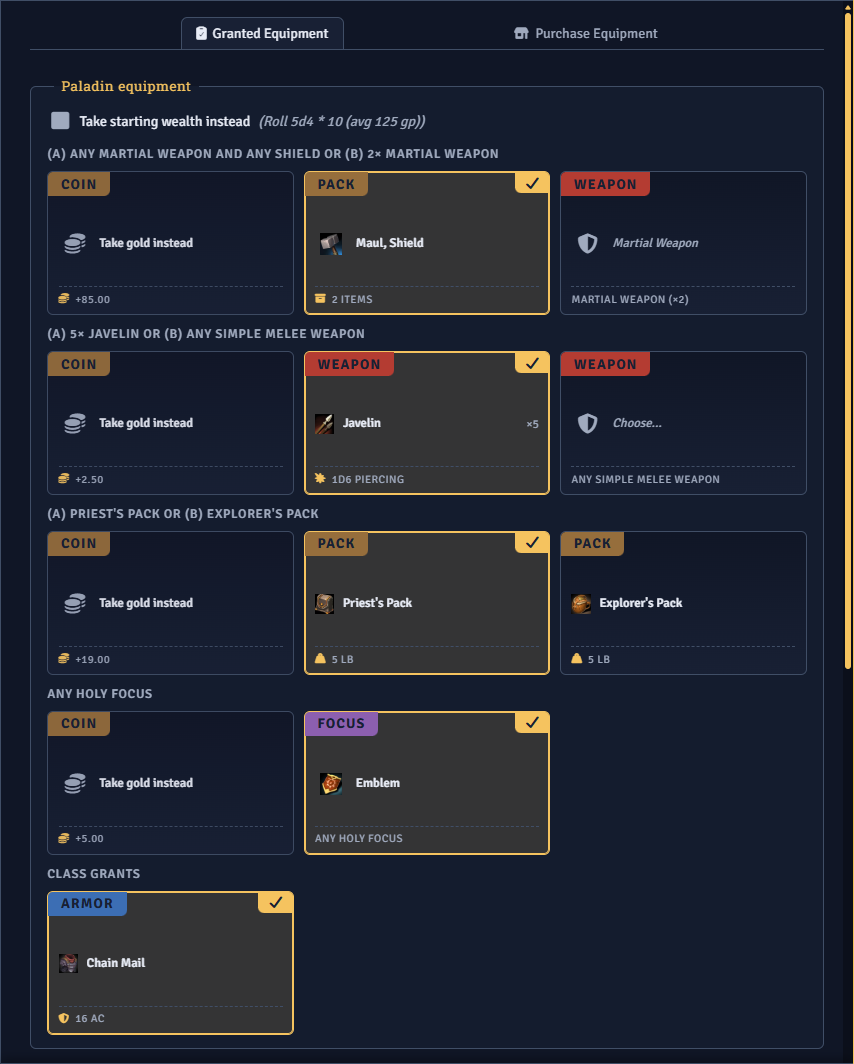
Granted Equipment
Section titled “Granted Equipment”Each source’s starting gear appears as tiles. A multiclass character gets gear from the primary class only.
Fixed grants start checked. A choice shows its options as tiles, and only one can be selected. A granted item that requires proficiency is disabled and marked Requires Proficiency when the character lacks it.
A pack tile lists its contents in a tooltip. Coins from a picked option go into the purchase pool, and so do coins granted alongside gear outside any choice.
The picker
Section titled “The picker”A choice that covers a category of gear opens a side picker with a name search. It filters the list to gear the character is proficient with, unless the source entry waives that requirement. A choice with several picks gets one labelled section per pick.
Take Gold Instead
Section titled “Take Gold Instead”Every choice includes a Take Gold Instead tile, with the gold it adds shown on its foot. Taking it skips that gear and puts the gold in the purchase pool.
Take Starting Wealth Instead
Section titled “Take Starting Wealth Instead”A source with a starting wealth value shows a Take Starting Wealth Instead toggle. Turning it on sets that source’s gear aside, bundled coins included, and puts its wealth in the purchase pool.
The summary beside the toggle shows a flat amount or a formula with its average. For a formula, a Roll Wealth button appears once the toggle is on. The pool uses the average until the player rolls, and the button disappears once the roll is made.
Bonus Starting Gold
Section titled “Bonus Starting Gold”When the bonus gold formula in Settings has a value, a Bonus Starting Gold entry appears at the top of Granted Equipment. A fixed amount goes straight into the pool. A dice formula adds nothing until the player clicks Roll, and the button disappears after the roll.
Refunding skipped equipment
Section titled “Refunding skipped equipment”With the refund option in Settings turned on, unchecking a fixed grant adds its price to the purchase pool.
Purchase Equipment
Section titled “Purchase Equipment”The shop spends the purchase pool. With no gold and an empty cart, the catalogue is hidden.
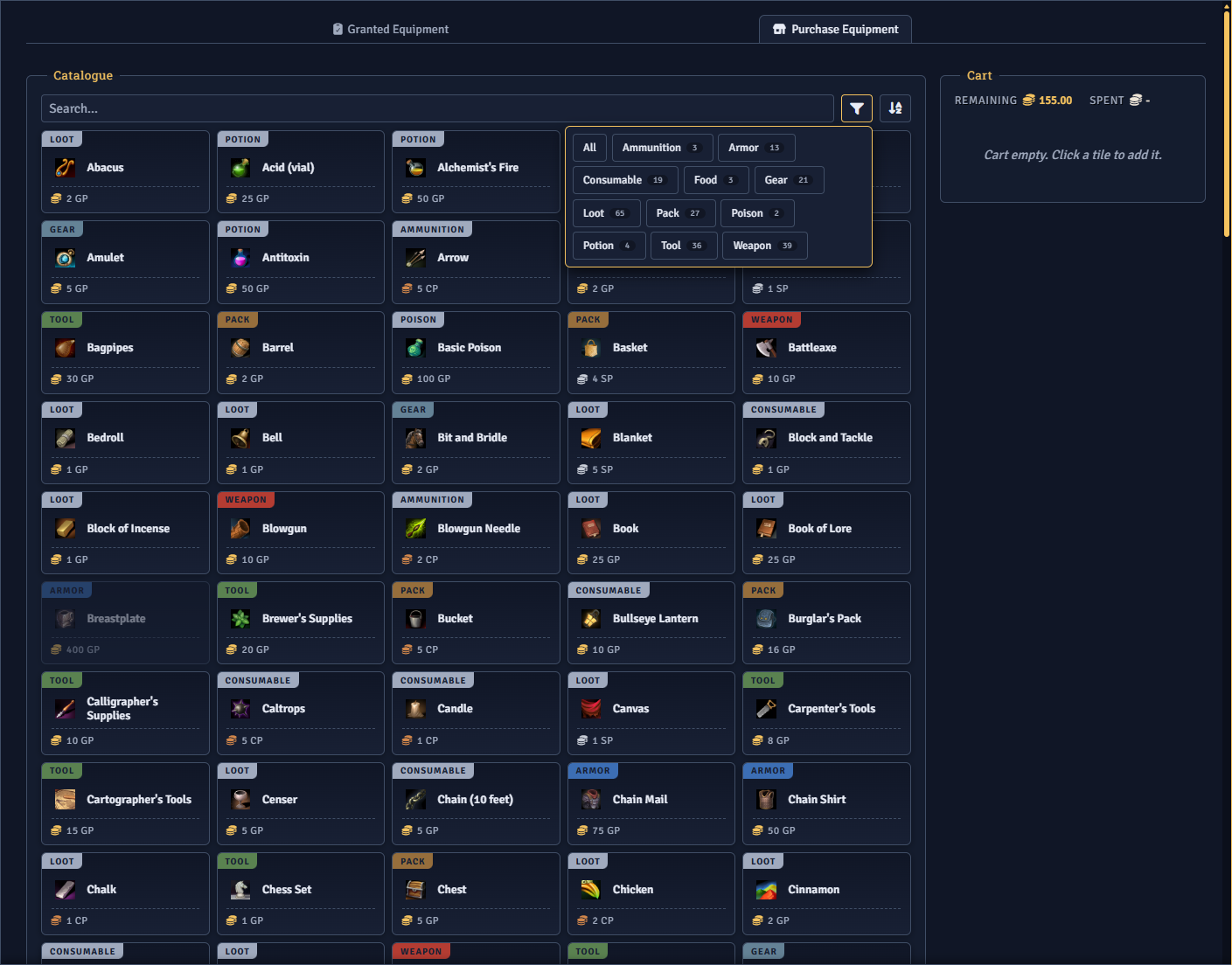
The catalogue leaves out items with no price. Magic items appear only when you enable them in Settings. The funnel control holds type filters, and more than one can be active. The sort control orders items by name, by cost, or by type.
Clicking a tile adds it to the cart, and clicking it again removes it. Items that cost more than the remaining gold cannot be added.
The cart
Section titled “The cart”The cart shows the gold remaining and spent. Each line has a quantity field capped at what the remaining gold covers.
The finished character receives everything in the cart. Unspent gold is written to the character’s currency, and the Finalize tab lists both the items and the leftover gold.