
Player Trading
Wiki updated as of 0.7.0 (Oct 2026)Players can trade items and coin directly between their characters without a shop. Both players need to be logged in, and the trade runs between their clients without GM approval.
Starting a trade
Section titled “Starting a trade”A player starts a trade with Request Trade from any of these places:
- The handshake button next to another active player’s name in the Players list. It appears only for players with an assigned character.
- The right-click menu of an actor in the Actors directory that the player does not own.
- In dnd5e worlds, the header of a group actor’s sheet.
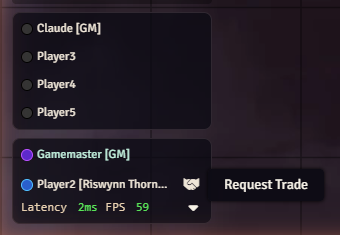
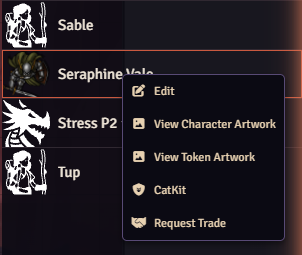
The player trades as their assigned character, or as the first player-owned actor they own if no character is assigned. A player cannot trade with their own character. If no one who owns the other actor is online, the player gets a warning instead.
The request goes to an active player who owns the other actor, or to an active GM if no player owner is online.
Accepting
Section titled “Accepting”The requesting player’s trade window opens right away. The other player gets an Open Trade Window? prompt naming the character who wants to trade. Open Trade opens the window on their side. Decline ends the request, and the requesting player is told the trade was declined.
Making offers
Section titled “Making offers”Each player builds their side of the trade window.
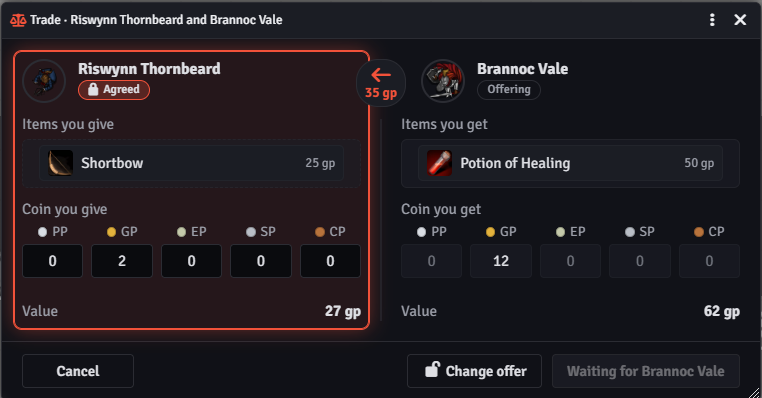
- Items are dragged in from the player’s own character sheet. Items from any other actor are refused.
- Coin is entered per denomination. A player cannot offer more of a coin than their character holds.
- An offered item moves with its whole stack.
Each side shows the value of its offer, worked out from item prices and coin. The marker between the two sides shows which way the trade leans and by how much.
Agree and confirm
Section titled “Agree and confirm”Both players lock in a trade in two steps:
- Agree locks the player’s offer. Change offer unlocks it again.
- Once both sides have agreed, Confirm trade becomes available.
When both players confirm, the items and coin change hands and the window closes with Trade complete.
Any change to either offer drops both players back to offering, so they must agree again. If one player unlocks their offer after the other has confirmed, the other player’s confirmation drops back to agreed.
Cancelling
Section titled “Cancelling”Cancel or closing the window cancels the trade for both players. Nothing changes hands until both have confirmed.
What the GM sees
Section titled “What the GM sees”Player-to-player trades post nothing to chat and send no whispers to the GM. The GM Observer Whispers and Whisper Trade Item Lists settings on the settings reference cover shop trades only.
Macro and module authors can react to player trades through the hooks listed in API and Hooks.