
Black Market
Wiki updated as of 0.7.0 (Oct 2026)The Black Market archetype runs The Blind Eye, a den shop kept by a wary buyer of stolen goods. Strangers see only the front shelf. Any goodwill opens the back room, the sell screen, and forged papers. Trusted buyers see the best stock.
Setting it up
Section titled “Setting it up”Pick Black Market on the Basics step of the Shop Builder, or in the Dialogue Archetype field of Shop Settings. The archetype names the shop The Blind Eye and applies the Lamplit Ledger theme on the den chassis, its accent color, an alley ambient track, and a lower sell modifier. It presets no opening hours, haggling, tab, theft, or restock schedule. Applying and switching archetypes is covered on Shop Archetypes.
The den
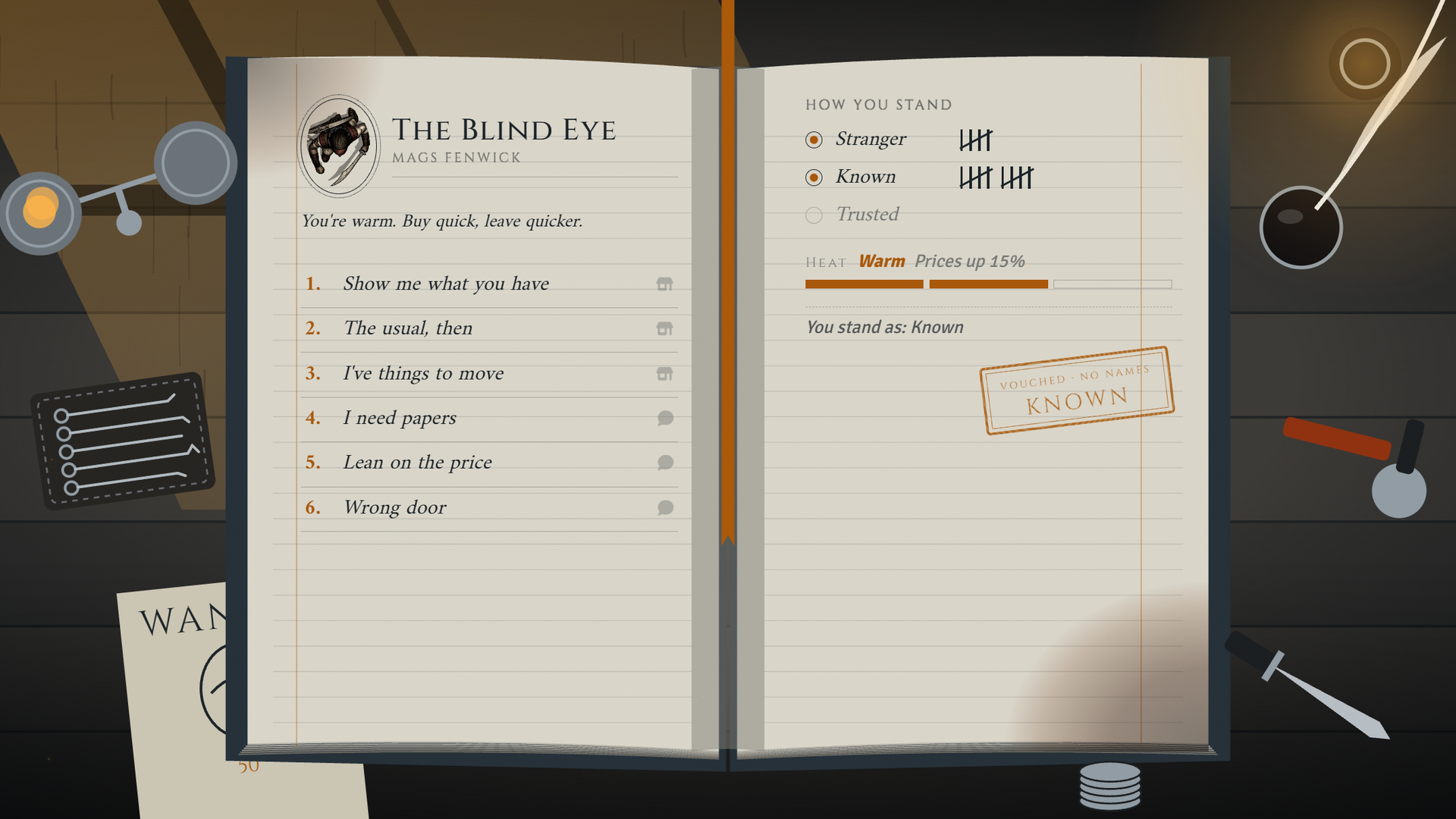
Section titled “The den”The den chassis shows a trust panel with the buyer’s current level and their heat. A back-room panel under the shelf unlocks the full shelf once the buyer is Trusted. See Themes and Chassis.
Stocking the shelves
Section titled “Stocking the shelves”The front shelf shows the cheapest stock, the back room shows mid-priced stock, and the full shelf shows the dearest. The price limits are set in the tree and checked against the item’s own price, before any markup. See Stock and Restocking.
To hold pieces back until a buyer qualifies, tick Back Room for them on the Stock tab and set the Back Room conditions in Shop Settings. Hand-picked players see Back Room items regardless.
What players can do
Section titled “What players can do”The greeting offers different choices depending on the character’s trust level.
| Level | Choices that open |
|---|---|
| Stranger | Show me what you have, How do I earn a real look?, Lean on the price |
| Known | The stranger choices, The usual, I’ve got things to sell, I need papers |
| Trusted | The known choices and Open the back shelf |
I need to disappear appears when the buyer’s heat is Hot.
How trust grows
Section titled “How trust grows”Goodwill is tracked per character, per shop. A character gains one goodwill for each of these:
- Paying the buy-in fee through How do I earn a real look?, offered only to strangers
- Each completed purchase
- Each completed sale to the dealer
Failed theft, haggle results, and push-your-luck re-rolls can also change goodwill if you turn those on in Shop Settings. See Haggling and Pricing.
Selling
Section titled “Selling”I’ve got things to sell opens the sell screen. Every sale raises the seller’s heat.
Leaning on the dealer
Section titled “Leaning on the dealer”Lean on the price opens a skill check. A character can lean once a day. A success lowers the buyer’s price, and a failure raises their heat.
Forged papers
Section titled “Forged papers”I need papers offers three grades, each with its own fee and skill check. A pass hands the buyer a named placeholder item for that grade. A miss hands over the next grade down, and a miss on the lowest grade hands over a botched set. A character can order papers once a day.
Heat and raids
Section titled “Heat and raids”Heat, raids, and lay-low timers work as described under Heat. Their values are in the settings reference.
Running it
Section titled “Running it”Shop Settings has no field for editing a character’s goodwill directly. To move a character up or down the ladder yourself, use one of these:
- Back Room Hand-picked in Shop Settings grants a player the Back Room items without changing goodwill.
- The
setGoodwillBaseAPI call sets a base goodwill for one character at one shop. It adds to the goodwill they earn in play. See API and Hooks. - The Bondsmith bridge sets each character’s base goodwill from their tier with the faction mapped to the shop. It replaces any base you set by hand each time it syncs.
This macro makes a character Trusted at the shop:
(async () => { const shop = game.actors.getName('The Blind Eye'); const buyer = game.actors.getName('Vex'); await Peddler.setGoodwillBase(shop, buyer, 3);})();System notes
Section titled “System notes”The buy-in fee, the lay-low fee, the papers fees, and the shelf price limits scale to the active system’s currency through its system adapter. They are fixed when the tree is built.
Customizing
Section titled “Customizing”Open the tree in the Dialogue Tree Editor to change the trust gates, the fees, or the shelf price limits.
The trust panel reads its thresholds from the shop, not from the tree. Set them with the setGoodwillRungs API call. If you change the tree’s gates, set the ladder to match.
Reapplying the archetype rebuilds the tree and discards your edits.