
Scene Merge
Wiki updated as of 0.1.0 (Oct 2026)Scene Merge copies other scenes into one scene as new levels. Right-click the scene that receives the levels in the Scenes directory and choose Merge Scenes as Levels. The option appears once the world has more than one scene.
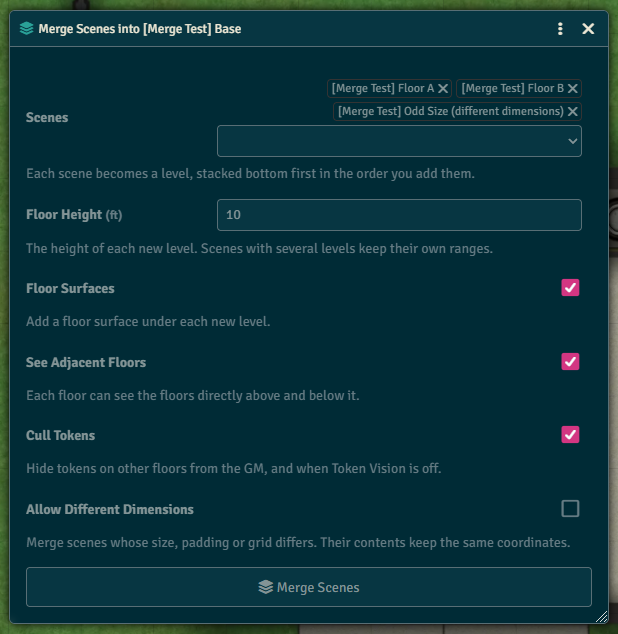
Add the scenes to merge under Scenes. They stack above the target’s highest level, bottom first, in the order you add them. Each scene’s walls, lights, sounds, tiles, drawings, notes, regions and tokens are copied onto its new level. The source scenes are left unchanged.
| Field | What it does |
|---|---|
| Floor Height | The height of each new level. A scene with several levels keeps its own ranges. |
| Floor Surfaces | Adds a floor surface under each new level. |
| See Adjacent Floors | Each level can see the levels directly above and below it. |
| Cull Tokens | Hides tokens on other floors from the GM, and when Token Vision is off. |
| Allow Different Dimensions | Merges scenes whose size, padding or grid differs. Their contents keep the same coordinates. |
A single-level scene becomes a level named after the scene. A scene with several levels becomes several levels named after the scene and each level.
If the target’s highest level has no top, Levelheaded caps it at the Floor Height before stacking.
Scenes with different dimensions are marked in the list. The merge refuses them unless Allow Different Dimensions is checked.