
Bulk Level Tools
Wiki updated as of 0.1.0 (Oct 2026)Click Bulk Level Tools in the walls, lighting, sounds, tiles, drawings, notes or regions controls. The window acts on the placeables selected on the active layer. Tokens are not included.
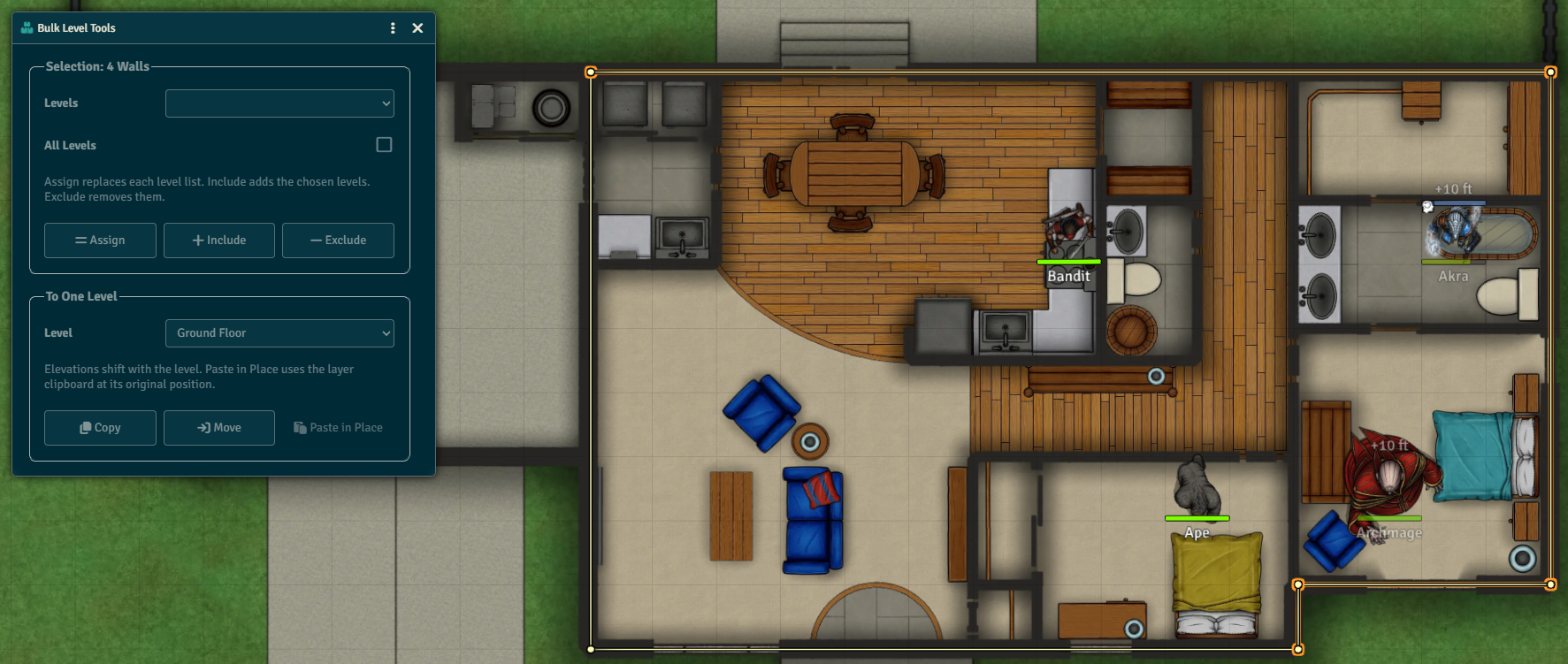
Selection
Section titled “Selection”Choose levels in Levels, or check All Levels, then pick an action:
| Action | Result |
|---|---|
| Assign | Replaces each placeable’s levels with the chosen ones. |
| Include | Adds the chosen levels. |
| Exclude | Removes the chosen levels. |
To One Level
Section titled “To One Level”Choose a Level, then pick an action:
| Action | Result |
|---|---|
| Copy | Copies the selection onto the level. |
| Move | Moves the selection onto the level. |
| Paste in Place | Pastes the layer clipboard onto the level at its original position. |
Elevations shift by the difference between the two floors. Walls keep their elevation.
Repair Walls
Section titled “Repair Walls”A wall with no level blocks every level. When the scene has any, a Repair Walls button puts them on the viewed level.