
Getting Started
Requirements
Section titled “Requirements”| Requirement | Minimum | Verified |
|---|---|---|
| Foundry VTT | V14 | V14 |
Roll Call requires the 3DS:ATLAS library module. It runs on any game system. D&D 5e adds legendary actions, lair turns, and summon lines.
Install
Section titled “Install”- Open Foundry’s Setup screen.
- Go to Add-on Modules and click Install Module.
- Search for “Roll Call”, or paste the manifest URL:
https://github.com/Sayshal/roll-call/releases/latest/download/module.json - Click Install and accept the prompt to install 3DS:ATLAS.
Enable both modules in your world under Module Management.
First combat
Section titled “First combat”Add combatants as usual. The combat dock appears on the canvas for you right away, and for players once you start the combat.
The settings panel
Section titled “The settings panel”Open Configure Settings → Roll Call and click Open Roll Call Settings. Players can open it too and see only the settings for their own device.
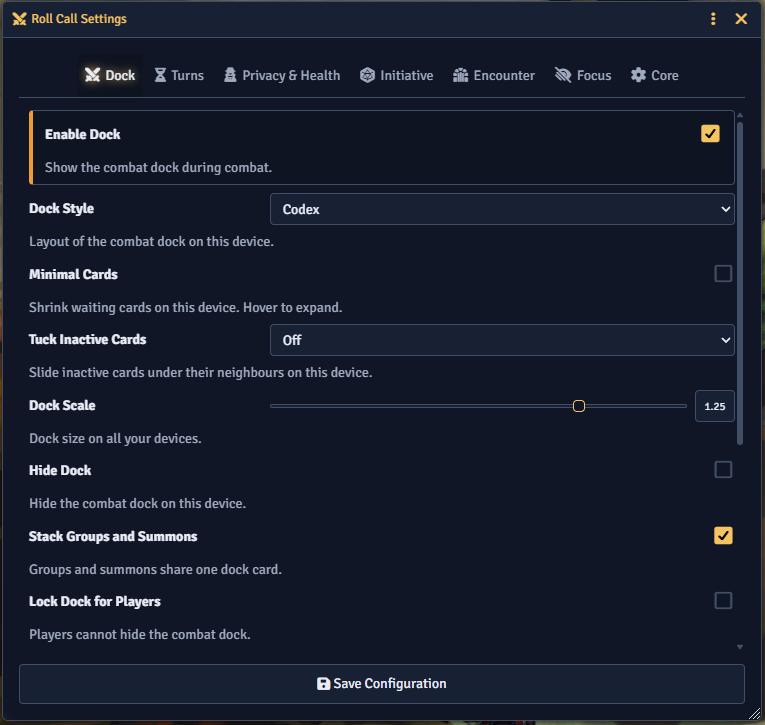
Each feature’s Enable toggle sits at the top of its section. Turning a feature off takes effect right away. Turning one on needs a reload. See Settings for every option.