Find these under Configure Settings > Levelheaded. World settings are GM-only. Client settings are set by each user.
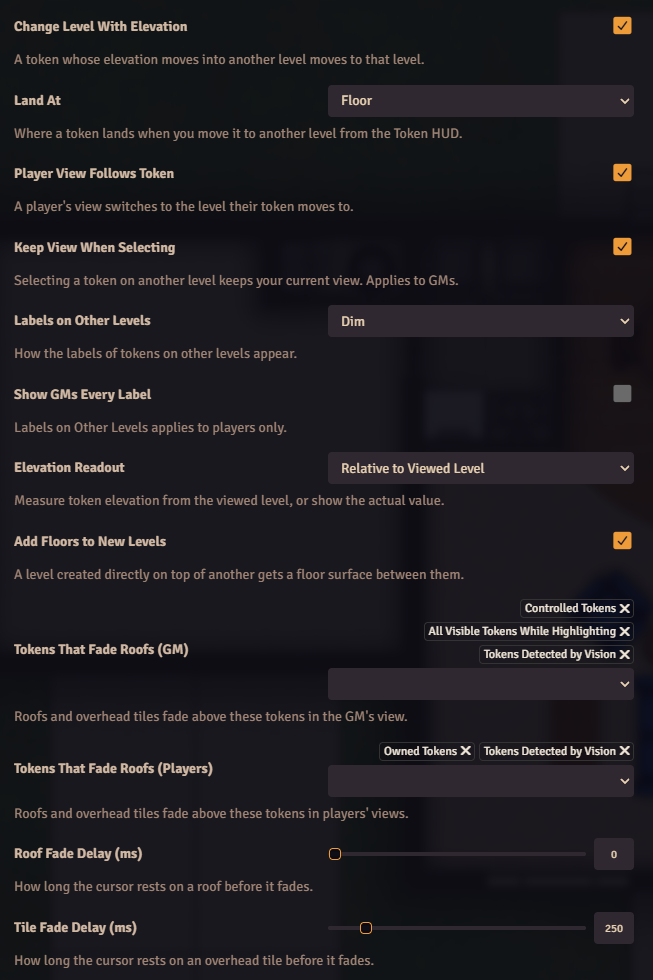
| Setting | Scope | Default | What it does |
|---|
| Change Level With Elevation | World | On | A token whose elevation moves into another level moves to that level. See Elevation Sync. |
| Land At | Client | Floor | Where a token lands when you move it to another level from the Token HUD: Floor, Same Height or Same Elevation. |
| Add Floors to New Levels | World | On | A level created directly on top of another gets a floor surface between them. |
| Setting | Scope | Default | What it does |
|---|
| Player View Follows Token | World | On | A player’s view switches to the level their token moves to. |
| Keep View When Selecting | Client | On | Selecting a token on another level keeps your current view. Applies to GMs. |
| Setting | Scope | Default | What it does |
|---|
| Labels on Other Levels | World | Dim | How the labels of tokens on other levels appear: Show, Dim or Hide. |
| Show GMs Every Label | World | Off | Labels on Other Levels applies to players only. |
| Elevation Readout | Client | Relative to Viewed Level | Measure token elevation from the viewed level, or show the actual elevation. |
| Setting | Scope | Default | What it does |
|---|
| Tokens That Fade Roofs (GM) | World | Controlled Tokens, Tokens Detected by Vision, All Visible Tokens While Highlighting | Roofs and overhead tiles fade above these tokens in the GM’s view. |
| Tokens That Fade Roofs (Players) | World | Owned Tokens, Tokens Detected by Vision | Roofs and overhead tiles fade above these tokens in players’ views. |
| Roof Fade Delay (ms) | Client | 0 | How long the cursor rests on a roof before it fades. 0 to 2000. |
| Tile Fade Delay (ms) | Client | 250 | How long the cursor rests on an overhead tile before it fades. 0 to 2000. |
See Token Labels and Roofs for the token groups.
