
Bookseller / Scribe
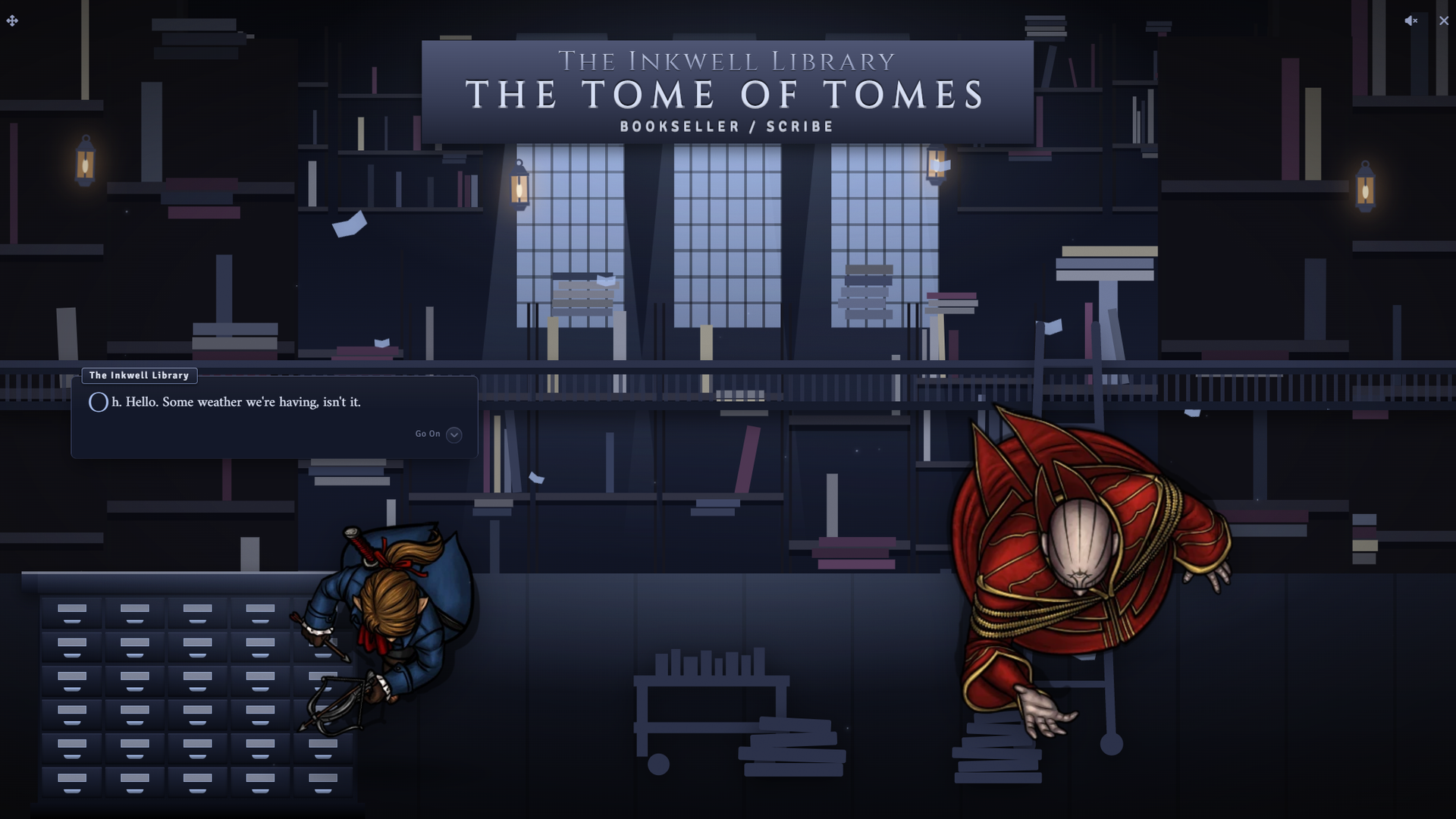
Wiki updated as of 0.7.0 (Oct 2026)The Bookseller / Scribe archetype runs The Tome of Tomes, a counter shop kept by a rambling scribe. Players browse the shelves, ask the keeper to research or value something, borrow books against a deposit, and commission copies that you hand over when they are ready.
Setting it up
Section titled “Setting it up”Pick Bookseller / Scribe on the first step of the Shop Builder. The archetype names the shop The Tome of Tomes and applies the Vellum Counter theme, its accent color, and a library ambient track. It presets no opening hours, haggling, tab limit, or restock schedule. Applying and switching archetypes is covered on Shop Archetypes.
Choosing a room
Section titled “Choosing a room”Vellum Counter has two rooms, Moonlit Hall and Drowned Archive. A new shop starts in Moonlit Hall. Change it with the Room field in Shop Settings. Each room has its own default positions in the layout editor, described on Themes and Chassis.
Stocking the shelves
Section titled “Stocking the shelves”Drag books and other items onto the shop actor. The lending ledger draws from the same shelf, so any priced, in-stock item that is not a service can be borrowed. See Stock and Restocking for restock rules.
The Journals section of the Stock tab sells a journal entry as a book. Buying it gives the buyer’s players Observer access to the journal. Lending a priced journal entry hands over the shelf item only and grants no journal access.
The keeper talks about two ledgers he refuses to sell. To put them on the shelf, add them as stock, mark them Back Room on the Stock tab, and set the Back Room conditions in Shop Settings. A buyer who meets a condition gets an extra choice in that conversation, which opens the shelves with the back-room items showing.
What players can do
Section titled “What players can do”The greeting shows a text box labelled “Let me just tell you what I’m after…” beside the choices. Keywords jump to the matching branch, and part of an item name opens the shelves with that search filled in. Anything else leads to the keeper offering something close.
Browsing
Section titled “Browsing”Show me the shelves opens the buy screen. Once a visit to the shop has ended with a farewell, Back for the usual also leads to the shelves. The keeper sometimes comments on items a player adds to or removes from the cart.
Research
Section titled “Research”Could you look something up for me? opens a skill check with a tiered DC. The keeper’s answer gets more complete with each tier. On the top tier, the player can pick Hear him out, which sends you a GM-only chat prompt to answer the question in character.
Valuing and selling
Section titled “Valuing and selling”What is this one worth? opens a skill check to value a book. The result sets that character’s sell price at this shop until morning, lower on a poor roll and higher on a strong one. See what he will pay then opens the sell screen with the adjusted price.
Research and valuation can each be rolled once per character until the next morning.
Histories, arcana, and the banned ledgers
Section titled “Histories, arcana, and the banned ledgers”Anything on the local histories? and What about arcana? are conversation branches with no mechanics. The histories branch leads to the two banned ledgers. A buyer without back-room access can try Slip the ledger off the shelf, a skill check against a single DC. Success lets them read it in the corner and sends you a GM-only prompt to tell them what it says. Failure costs standing with the shop.
Borrowing and returning
Section titled “Borrowing and returning”Do you lend books? opens the lending card. It lists each book that can be borrowed with its deposit, which is the book’s price, and states the loan length and fees. Borrowing takes the deposit, moves the book to the character, and lowers the shelf stock by one. A character can hold one loan from the shop at a time.
While a loan is out, the greeting offers I’ve brought your book back. Picking it returns the book to the shelf and refunds the deposit less the lending fee. A late return keeps a further share of the deposit. If the character no longer carries the book, the keeper says so, and I’ve lost it. Keep the deposit closes the loan with the whole deposit forfeit.
Commissions
Section titled “Commissions”Could you copy a book for me? offers three grades of copy: plain, fair, and illuminated. After picking one, the player types the title they want in a request box. Only one commission per character can be open at a time.
Running it
Section titled “Running it”Quoting a commission
Section titled “Quoting a commission”A commission request opens a Special Order Request dialog on your client. It shows the grade and the requested title, with Price and Ready in (days) prefilled for that grade. Adjust them and click Send quote, or Turn it down. The player sees the price, the wait, and the payment terms, then places the order or declines. When the buyer pays is set by Special Order Payment in Shop Settings. A GM must be logged in to quote.
Handing over a commission
Section titled “Handing over a commission”Once an order is placed, the greeting offers Is my copy finished? Before the ready time, the keeper tells the player to come back later. After it, the question opens a Special order window on your client with the request, the quote, and what has been paid. Drag the finished item or a journal entry into the window and click Hand over, or click Not ready to send the player away. The player then takes the item, paying any balance due.
Peddler does not create the finished copy. Make the item yourself before handing it over.
Due dates
Section titled “Due dates”With Calendaria active, a placed commission and a new loan each create two calendar notes. One is a hidden GM reminder, which for a commission fires a few hours before the ready time. The other is a pickup or return reminder for the players who own the character. Both are removed when the order is collected or the loan is closed.
An overdue loan has no effect until the book comes back, when the late fee is applied.
System notes
Section titled “System notes”The research, valuation, and smuggling checks use the system’s own skill rolls.
| System | Research | Valuation | Smuggling |
|---|---|---|---|
| D&D 5e | History, Arcana | Investigation | Sleight of Hand |
| Pathfinder 2e | Society, Arcana | Crafting | Thievery |
| D&D 4e | History, Arcana | Perception | Thievery |
| Draw Steel | History, Magic | Forgery | Pick Pocket |
| Daggerheart | Knowledge | Instinct | Finesse |
| Call of Cthulhu 7e | Library Use | Appraise | Sleight of Hand |
On a system with no skill list, the three checks are hidden and the greeting offers I’ve some books to sell. Add a skill table on the System tab, covered on System Adapters. Suggested commission prices scale to the system’s currency.
Customizing
Section titled “Customizing”Open the tree in the Dialogue Tree Editor to change the archetype’s numbers. The loan length and fees live on the Choose a book to borrow choice. Each commission grade choice holds its suggested price and days. The DCs sit on the choices that open each check. The typed-input keywords are under Free-Text Input on the “Let me just tell you what I’m after…” choice.