
Kiosk
Wiki updated as of 0.8.1 (Nov 2026)The Kiosk archetype runs NovaMart, an unattended retail kiosk. An assistant greets each buyer, remembers their purchases, and prices stock by demand.
Setting it up
Section titled “Setting it up”Pick Vending Kiosk on the Basics step of the Shop Builder. To convert an existing shop, pick it in the Dialogue Archetype field of Shop Settings. Shop Archetypes covers both routes.
Besides the dialogue tree, the archetype applies these to the shop:
| Applied | Where to change it |
|---|---|
| Shop title | Shop Title in Shop Settings. |
| Theme | Retail Glass, on the terminal chassis. See Themes and Chassis. |
| Accent | Accent Color in Shop Settings. |
| Haggling | Turned off, under Haggle in Shop Settings. |
| Tab | A Tab Limit, under Pricing in Shop Settings. |
| Restocking | Restock on Day Change turned on. See Stock and Restocking. |
Choosing a room
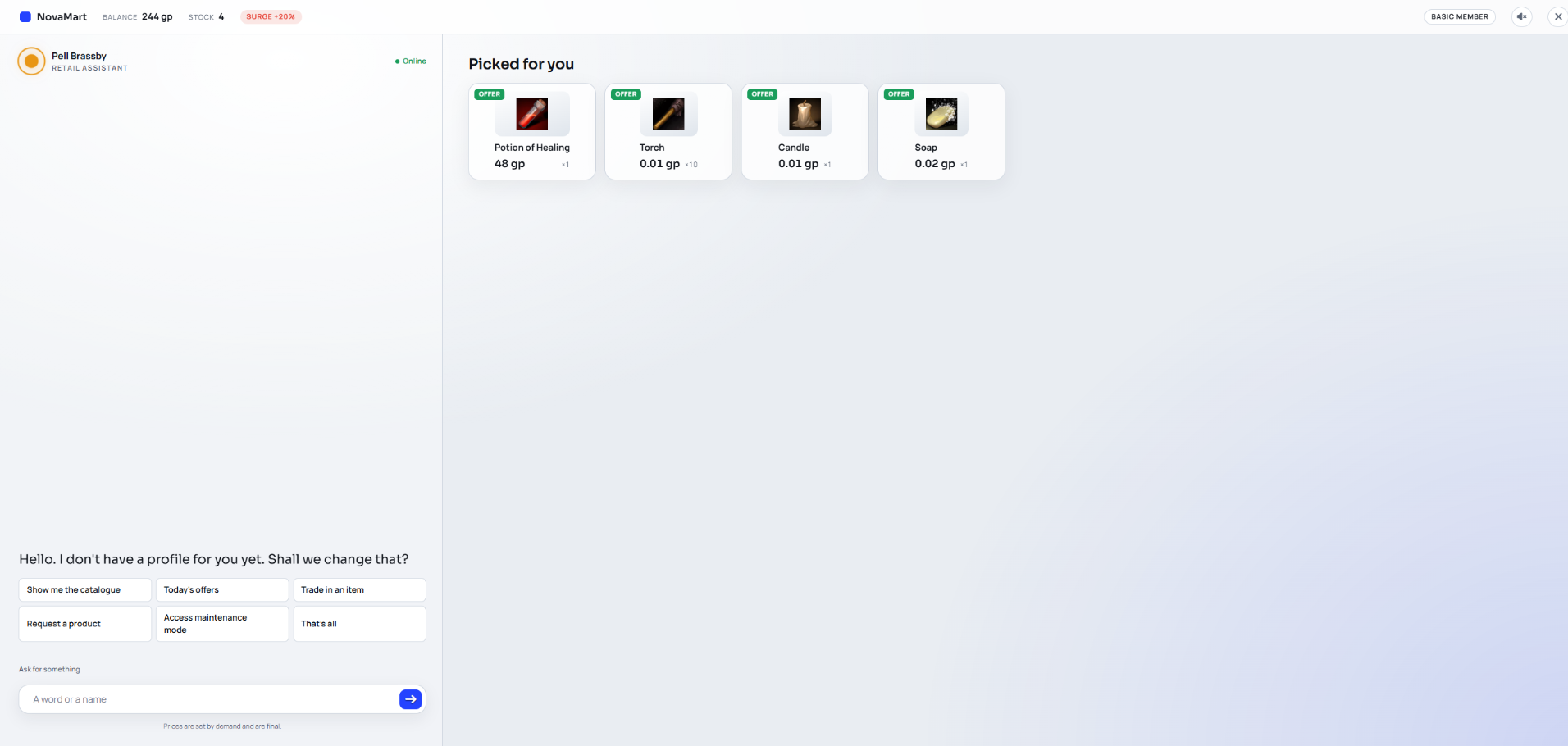
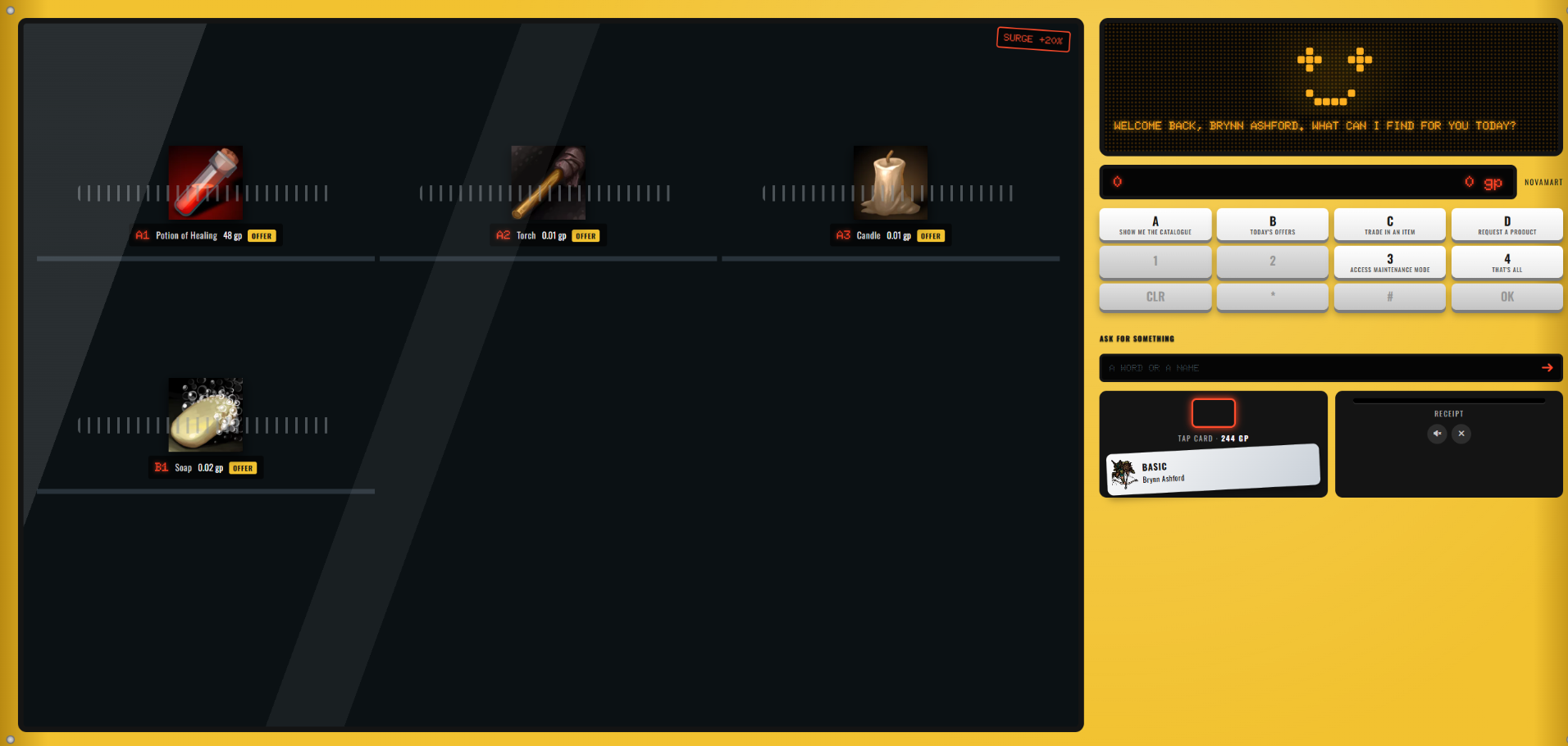
Section titled “Choosing a room”Retail Glass has two rooms, Concierge and Vending Machine. Change the room with the Room field in Shop Settings. The stock and the conversation stay the same in either room.
What players can do
Section titled “What players can do”Shop the catalogue
Section titled “Shop the catalogue”The catalogue lists everything in stock. Today’s offers lists only the items on offer that day. Players can also trade in an item, request a product that is not stocked, and check on a request. Requests work like special orders. See Special orders.
A trade-in is declined when the kiosk’s funds cannot cover it.
Prices
Section titled “Prices”Prices follow the time of day. Busy hours cost more and the small hours cost less, and the kiosk shows a surge or off-peak label while one applies.
Each purchase of an item raises that item’s price until morning. Raised items show an In demand badge.
A share of the catalogue is on offer each day at a discount. Offered items show an Offer badge. Every buyer sees the same offers.
Loyalty
Section titled “Loyalty”Buyers earn a loyalty tier from their purchases: Basic, Silver, then Platinum. A higher tier lowers prices and raises the buyer’s tab limit.
The tab
Section titled “The tab”A buyer short at checkout can put the difference on the tab while the total owed stays within their tier’s tab limit. Settle my account appears on the menu while the buyer owes anything.
Opening the catalogue or the offers can jam one item. A jammed item cannot be bought, and Report a fault appears on the menu. A buyer can Strike the panel to make a skill check. A pass frees the item and a fail leaves it jammed. Each buyer gets one attempt. A jam clears on its own the next morning.
Hacking the kiosk
Section titled “Hacking the kiosk”Access maintenance mode lets a buyer attempt a skill check to bypass the lock. A pass gives that buyer staff pricing for an hour of game time. A fail locks that buyer’s card out until morning, and the kiosk turns them away at the door. Each buyer gets one attempt per day.
Both checks use the skills the active system adapter assigns. In a system with no skills, they are hidden.
Running it
Section titled “Running it”A GM must be logged in to quote or hand over a requested order.
Customizing
Section titled “Customizing”Edit the lines, the menu, and the jam and hack difficulties in the Dialogue Tree Editor.
Reapplying the archetype rebuilds the tree and discards your edits.